Complete requirements
DV Lottery Photo Requirements: Complete Applicant Checklist
A Diversity Visa entry photo must satisfy both digital-file rules and visible photo rules. Checking only the file size is not enough: the image also needs the correct composition, background, lighting and natural appearance.
Reviewed against U.S. Department of State photo guidance
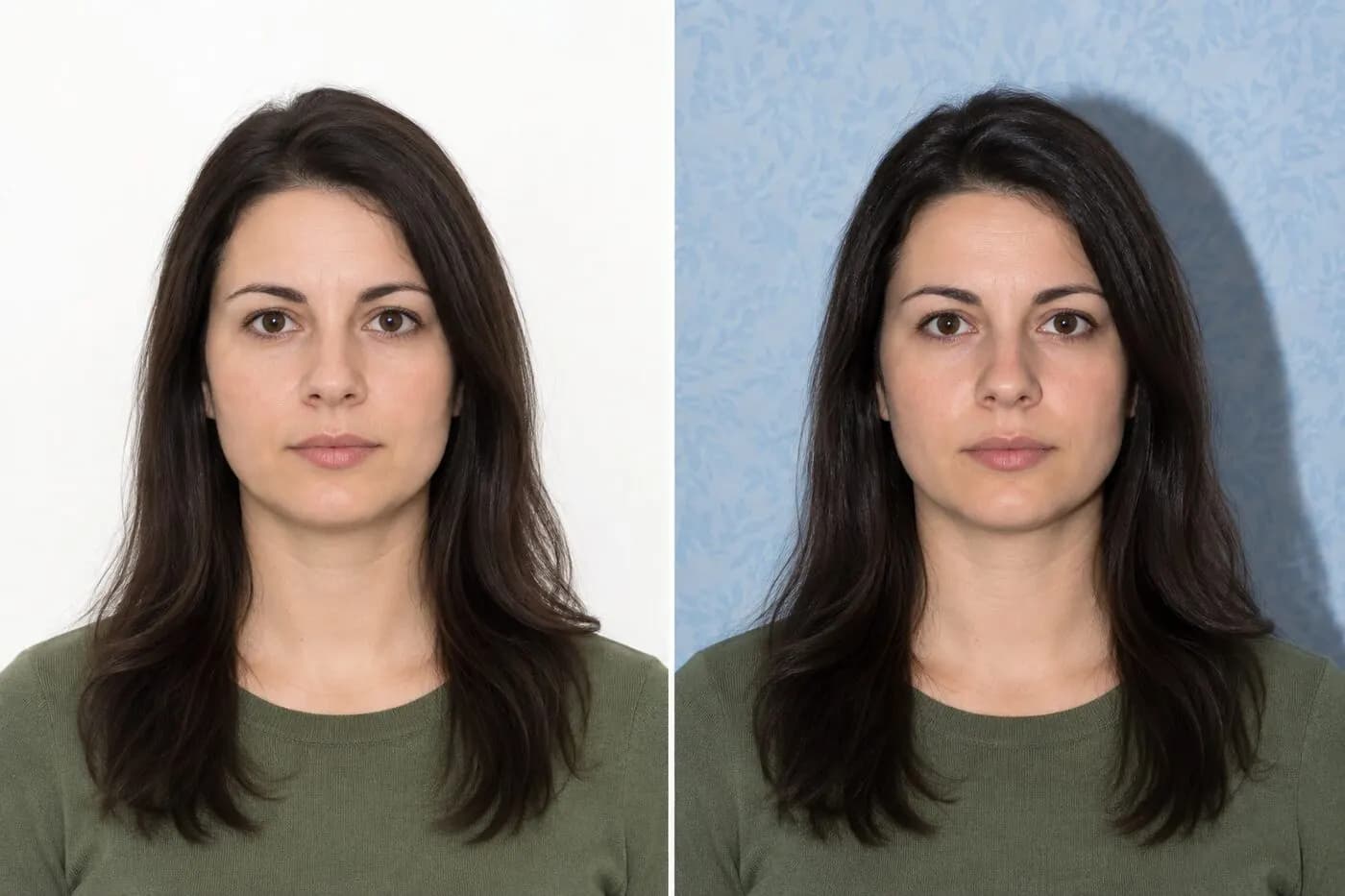
More visual examples
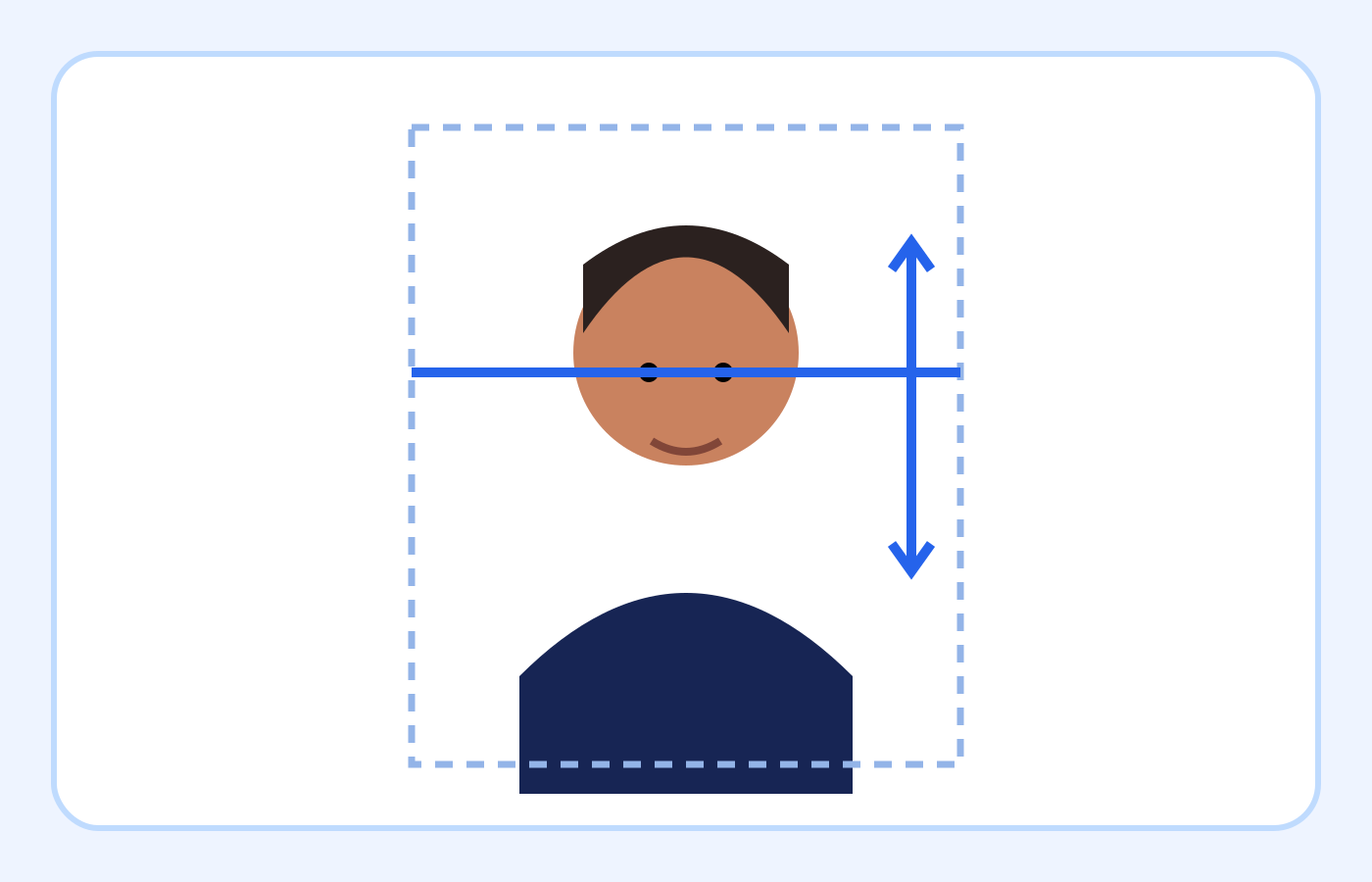
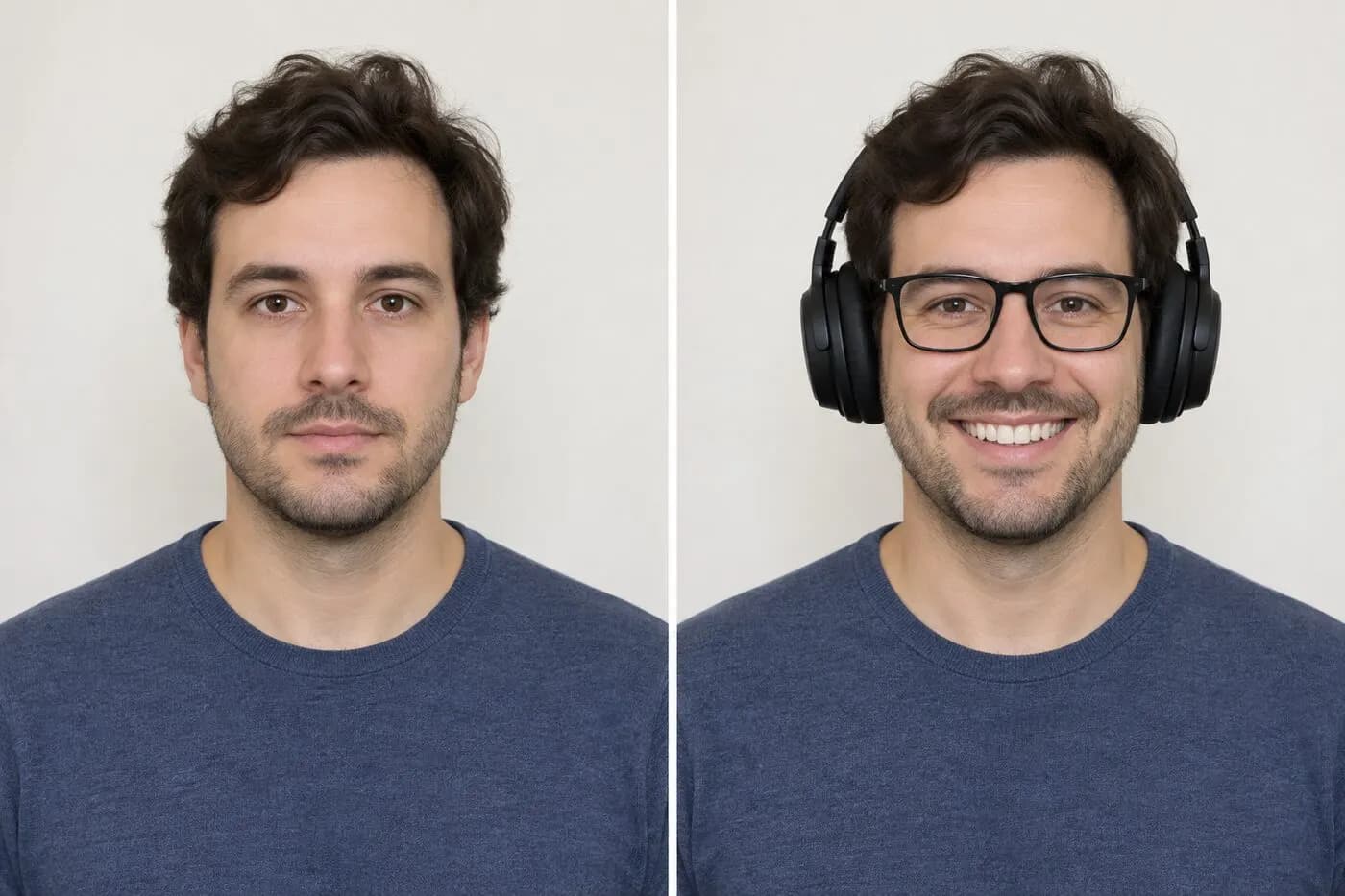
These are educational illustrations, not official government examples or photos to submit.
DV Lottery online-entry requirements at a glance
| Requirement | What to use | How to verify |
|---|---|---|
| File format | Genuine JPEG (.jpg or .jpeg) | Check the file contents, not only its extension |
| Dimensions | Exactly 600 × 600 pixels | Confirm both width and height |
| File size | 240 KB or smaller | Read the final downloaded file size |
| Composition | Head 50%–69%; eyes 56%–69% from bottom | Measure chin, crown and eye line |
| Appearance | Recent, natural, front-facing photo | Manually review age, pose, expression and accessories |
On smaller screens, swipe horizontally to see every column.
What the checker can—and cannot—verify
It can help with
- ✓ Reads the uploaded file’s true format, exact pixel dimensions and stored file size.
- ✓ Provides automated estimates for background, face direction, head size, eye position, eye openness and expression.
- ✓ Can crop, resize and compress a separate 600×600 JPEG when the source has enough detail and framing room.
You must review yourself
- • Cannot prove that the photo was taken within the last six months or was not used for another entry.
- • Cannot reliably identify every alteration, accessory, shadow, clothing issue or unsuitable visual detail.
- • Cannot approve a photo or guarantee acceptance by the Department of State.
How to use the checker
- 1Start with the highest-quality recent original, not a screenshot, social-media download or messaging-app preview.
- 2Upload it to the checker and review the true format, width, height and file size before looking at the visual estimates.
- 3Compare the background, face, head-size and eye-position results with the actual photo and the official examples; retake the photo when the visible content is unsuitable.
- 4If a crop-and-size correction is offered, download the new JPEG, reopen it and confirm every requirement again before selecting it in the DV entry form.
Digital file requirements for an online DV entry
The U.S. Department of State lists four core digital requirements for Diversity Visa entrants. The uploaded image must use JPEG format, must not exceed 240 KB, must be square, and must measure 600 by 600 pixels.
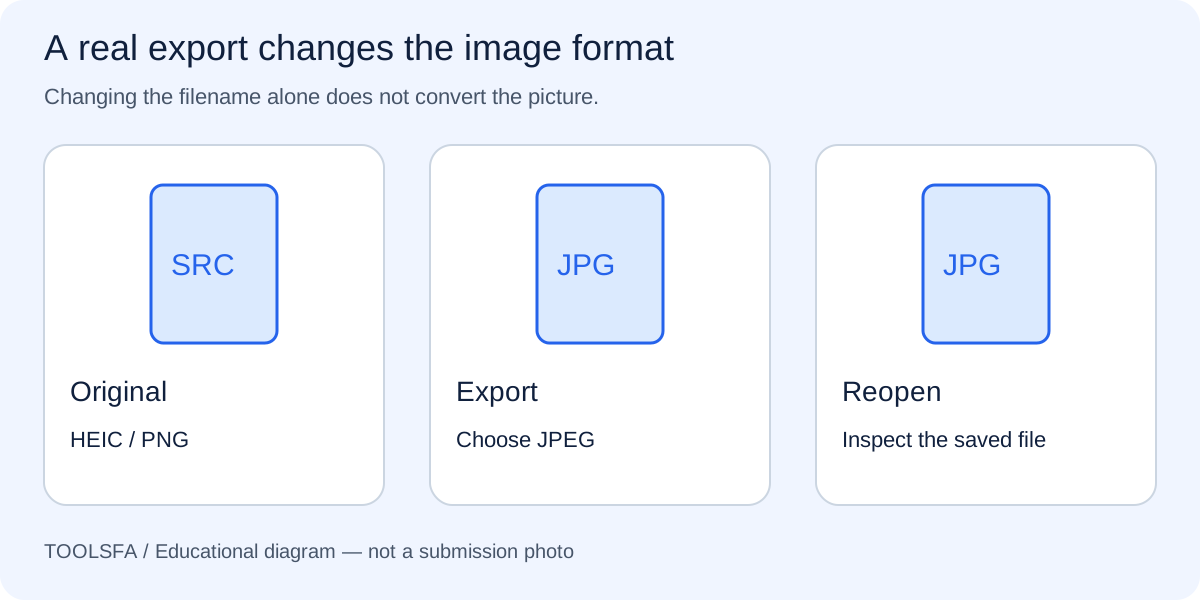
A filename ending in .jpg is not proof that the file is a JPEG. Renaming a PNG or HEIC file changes its name, not its underlying format. Open or export the image through a photo editor when a real format conversion is needed.
If your source is a phone format, follow the HEIC and PNG conversion steps before checking the final file.
- Format: JPEG (.jpg or .jpeg)
- Dimensions: exactly 600 × 600 pixels
- Aspect ratio: square, with equal width and height
- Maximum file size: 240 KB
- Image: clear color photograph, not black and white
Face, pose and expression
Face the camera directly with your full face visible. Keep both eyes open and use a neutral facial expression. Avoid tilting or turning your head, and do not submit a full-length photograph or an informal snapshot.
The head, measured from the bottom of the chin to the top of the head including the hair, should occupy 50% to 69% of the image height. Eye height should fall between 56% and 69% of the image height measured upward from the bottom edge.
For a measurable framing check, use the head-size and eye-position guide on the completed crop.
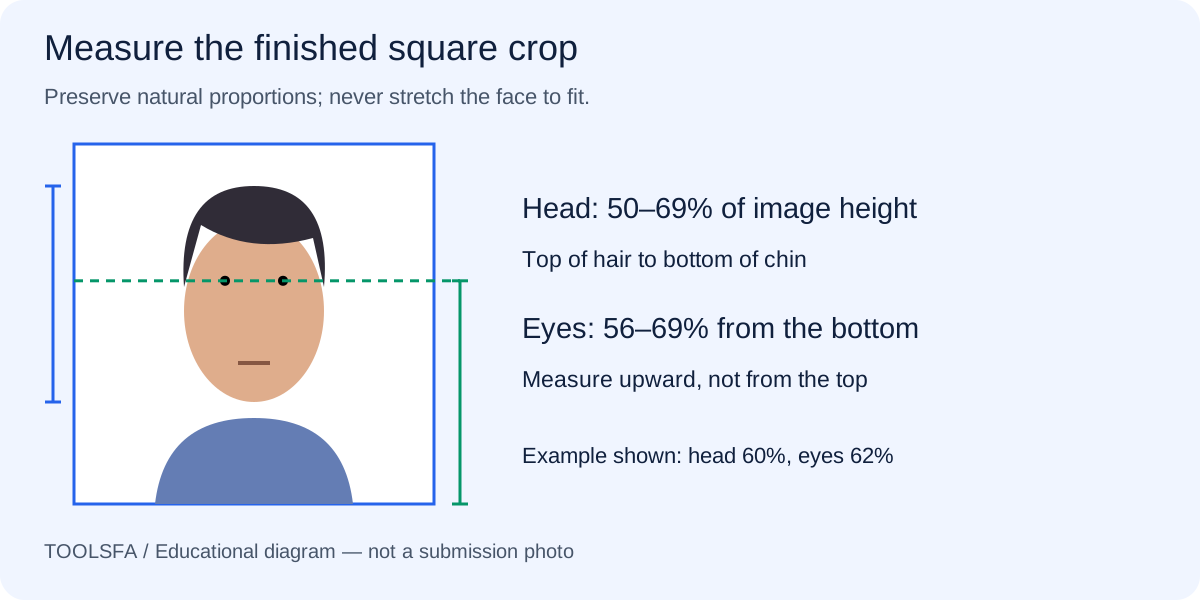
For a broader review, work through the common photo mistakes before exporting your selected portrait.
Background, lighting and clothing
Use a plain white or off-white background with no objects, visible pattern or strong shadow. Light the face evenly so facial features remain clear and the background stays consistent.
Wear normal daily clothing. Uniforms are generally not appropriate, except religious clothing worn daily. A religious head covering may be worn when the full face remains visible and the covering does not cast a shadow on the face.
- Remove eyeglasses for the DV entry photo; the DV instructions say not to wear them.
- Do not wear headphones or wireless hands-free devices.
- A hearing device that you normally wear may remain in the photo.
- Do not digitally alter the image to change your appearance.
Photo age and previous entries
Use a photograph taken within the last six months that reflects your current appearance. Do not rely on an old photo merely because its dimensions and file size still pass.
Check the instructions for the specific DV program before submitting. Program dates and entry instructions can change, while the Department of State makes the final decision on whether a submitted photo is acceptable.
If you choose a studio, take the photographer checklist with you to clarify the deliverable.
Important: ToolsFA can examine measurable image properties, but it cannot determine when a photo was taken or guarantee government acceptance.
Worked example: checking one phone-camera original
Assume the original is a sharp 3024×4032 HEIC photo taken yesterday against an off-white wall. The face is natural and evenly lit, but the file is rectangular and is not a JPEG. Renaming the file would not solve either problem.
Upload the original, review the checker’s estimates, and create a square crop only if the full head and shoulders have enough room. Export a genuine 600×600 JPEG at or below 240 KB, then reopen the download. Manually confirm the six-month age, natural appearance, plain background, neutral expression, clothing and absence of prohibited accessories because the checker cannot certify those facts.
Frequently asked questions
Does passing the ToolsFA checker mean the photo will be accepted?
No. The checker confirms measurable file properties and provides visual estimates. It cannot approve a photo; the Department of State makes the acceptance decision.
Do printed-photo dimensions apply to the online DV entry file?
The online entry uses a digital JPEG that is exactly 600×600 pixels and no larger than 240 KB. The Department of State separately lists 2×2-inch printed photos for selectees at the visa interview.
Can I wear eyeglasses in a new DV photo?
No. The DV entry instructions say not to wear eyeglasses. Remove prescription glasses, sunglasses and glasses resting on the head before taking the entry photo; do not rely on the separate medical-exception language published for some general visa-photo workflows.
Official sources
Always check the instructions for the program year in which you apply. ToolsFA is independent and is not affiliated with the U.S. government.